Switching to Mac : The Command Tilde Drama
I'm so attached to using keyboard shortcuts that I have a really tough time when switching to Mac.
In Windows, you basically use "Control Tab" to navigate among windows (opened & unopened).
In Mac, it differentiates how to navigate among
(1) Windows of different applications
(2) Windows of OPENED same applications –> you need to 'un-minimize' the minimized windows to cycle it
(alternative way but looks complicated: superuser link)
Keyboard shortcut: How to Switching/Cycling through Windows on Mac
- Switching window (among different applications): Cmd Tab
- Switching window (among same applications, e.g., same browser but opened as different windows):
By default:
Command Tilde
⌘`
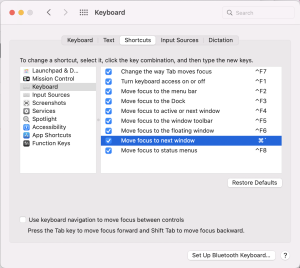
Actual trial result: Failed. Nothing happened, no response.Apparently
(1) The usual shortcut tried was not Command Tilde but Command At-mark
⇧⌘@
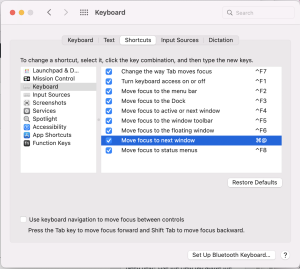
(2) When tried to incorporate Shift key, it is still not Command Tilde, but Shift + Command + At-mark
⇧⌘@
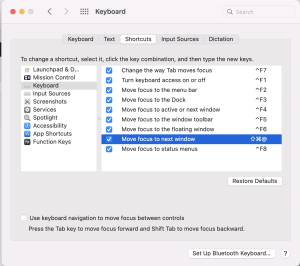
Conclusion:
I'm not sure how to hit "Command Tilde" shortcut on my Mac, so I did the workaround way.
I set up new shortcut through
Spotlight (Command+Space): "System Preferences"
> click "Keyboard"
> select tab "Shortcuts"
> select option/menu "Keyboard"
> select a shortcut by clicking on 'key combination' text beside the selection "Move focus to next window"
> modify it by inputting new shortcut combination